


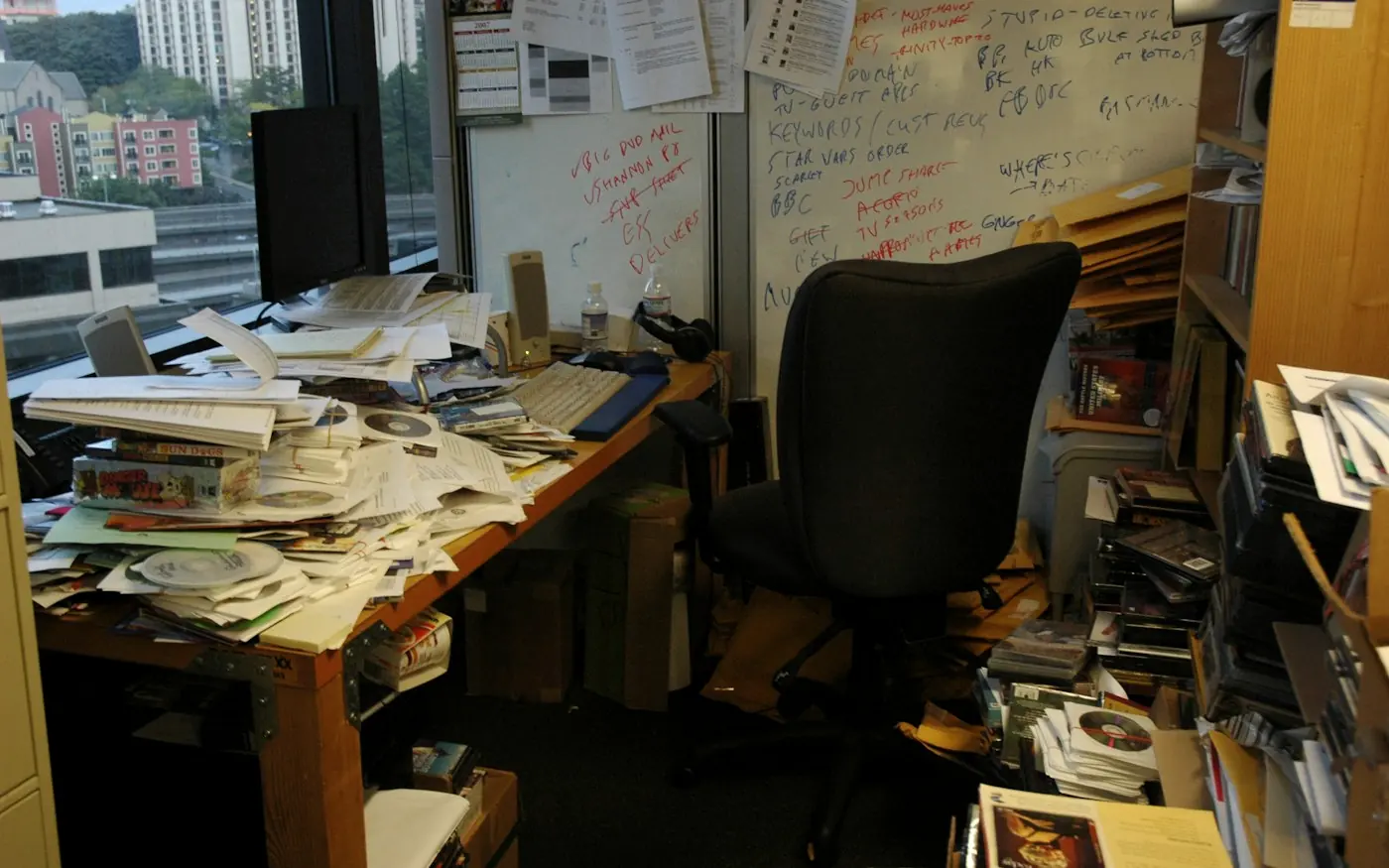
Spreadsheets run the world until they start breaking it. Learn how to recognise the tipping point where spreadsheet workarounds cost more than building a bespoke internal software tool.
There is something almost comforting about a spreadsheet. It is familiar, inexpensive and remarkably flexible. A business can start with a simple table of customers, add a few formulas, create another tab for sales and gradually build an entire operational process around it without ever formally deciding to build software. Before long, however, that innocent spreadsheet can become responsible for much more than anyone originally intended. It starts tracking customers, managing stock, calculating figures, producing reports, recording transactions and perhaps even determining what happens next in an important business process.
The problem is rarely that spreadsheets are bad. They are not. In the right circumstances, they are excellent tools. The problem is what happens when a spreadsheet quietly evolves from being a tool that supports the business into a system the business depends on. That distinction is easy to miss because the transition happens gradually. Nobody wakes up one morning and says, "We have accidentally built our entire operation in Excel." Instead, another column gets added, another person receives access, another formula is introduced and another workaround appears until the spreadsheet becomes something far more complicated than it was ever designed to be.
At CreativeIyke, we see this as an important digital transformation question rather than simply a software development question. Moving from spreadsheets to software should not be about replacing something old with something shiny. It should be about understanding the underlying business process, identifying where friction, risk and inefficiency have accumulated, and deciding whether a properly designed digital platform can create measurable value. Sometimes the answer is yes. Sometimes it is a better spreadsheet, a SaaS product or an integration between existing tools. The solution should follow the problem.
Why Businesses Keep Coming Back to Spreadsheets
The reason spreadsheets survive for so long is actually a testament to how useful they are. A small business can create a customer tracker in minutes, add formulas without needing a developer, sort information, produce a report and share the file with colleagues. There is almost no barrier to entry, and for many early-stage businesses this flexibility is exactly what they need. When the number of customers is small and the process is relatively simple, building custom software would be unnecessary.
Spreadsheets also allow businesses to experiment. Before investing in a proper system, a team can use a spreadsheet to understand what information it actually needs, how a process works and what reports are useful. In that sense, a spreadsheet can be a prototype for a future digital system. The difficulty arises when the business continues using the prototype long after the underlying process has become too complex for it.
The spreadsheet becomes particularly problematic when different people start creating different versions of the truth. One employee may have the latest customer list, another may have an updated sales report and somebody else may have changed a formula without telling anyone. Suddenly, a tool that was introduced to make the business more organised is creating uncertainty about which information can actually be trusted.
The Spreadsheet Growth Curve
A useful way of understanding the problem is to look at how spreadsheet dependency typically develops. Most businesses don't go directly from a blank workbook to needing a custom application. There is usually a progression, and recognising where you are on that progression can help you make a more rational technology decision.
Evolution from Basic Sheet to Connected Enterprise Platform
01. STAGECustomers • Sales • Expenses
02. STAGEMultiple tabs • Formulas • Reports
03. STAGEMultiple users • Processes • Dependencies
04. STAGEMultiple spreadsheets • Manual data transfer • Duplicated info
05. STAGECentralised data • Automation • Permissions • Integrations
Caption: Businesses rarely decide to build software overnight. Spreadsheet dependency usually develops gradually as operational complexity increases.
At Stage One, there is little reason to be concerned. A spreadsheet might be the most sensible solution available. At Stage Two, the business is beginning to rely on it more heavily, but it can still be manageable with appropriate controls and documentation. Stage Three is where warning signs begin to appear. Multiple people may be editing the file, formulas are becoming complicated and the spreadsheet is now supporting an important operational process rather than simply recording information.
By Stage Four, the organisation may have several spreadsheets performing different functions, with employees manually moving information between them. This is often the point at which the hidden cost becomes significant. The business may technically be operating, but it is spending time maintaining the system instead of improving the service. Stage Five represents the point where a properly designed digital platform may make sense because the organisation now needs centralised information, automation, role-based access, integrations and reliable workflows.
Seven Signs Your Spreadsheet Has Become a Business Problem
01. Multiple People Need to Update the Same Information
One of the first warning signs is when several employees need to edit the same spreadsheet at different times or simultaneously. Collaboration tools have made shared spreadsheets considerably better than they once were, but collaboration does not automatically solve problems around permissions, data structure, validation, workflow or accountability.
When important operational information can be changed by multiple people without a clearly defined process, the risk of errors increases. A custom platform can introduce role-based permissions, structured forms, validation rules and audit trails so that users interact with the system according to their responsibilities rather than editing a large table of information directly.
02. Your Spreadsheet Contains Hundreds or Thousands of Records
Volume alone does not mean you need custom software. A well-maintained spreadsheet can handle substantial amounts of information, and modern spreadsheet applications are considerably more capable than many people realise. The issue is what happens when the volume of data combines with complex relationships, frequent updates, multiple users and business-critical workflows.
A database-backed application is designed around structured data relationships rather than a collection of cells. Customers can have orders, orders can contain products, products can have stock levels and transactions can be connected to accounts, payments and reporting. Instead of trying to represent these relationships through increasingly complicated spreadsheet structures, a digital platform can model them directly.
03. Employees Spend Hours Copying Information Between Systems
This is one of the strongest indicators that automation could create a meaningful return. Imagine a customer submitting information through a website, after which an employee manually copies that information into a spreadsheet, updates another system, sends a confirmation email and then creates a task for another member of the team. None of those individual actions may appear particularly difficult, but multiplied across hundreds of customers, the time adds up.
A custom platform can automate parts of that journey. Information can be captured once and passed through the appropriate workflow, notifications can be triggered automatically and records can be updated without someone having to copy and paste the same information repeatedly. The objective isn't to remove people from the process for the sake of automation. It is to allow people to spend their time on work that actually requires human judgement.
04. Nobody Is Completely Sure Which Version Is Correct
This is where spreadsheet dependency becomes more than an inconvenience. If different departments maintain separate versions of customer, sales, stock or financial information, the organisation may no longer have a reliable single source of truth. Reports can disagree, decisions can be based on outdated information and employees may spend time checking data rather than using it.
A centralised digital platform can provide a controlled source of information, with changes recorded and access determined by user roles. This does not mean every organisation needs a massive enterprise system. It means the architecture should reflect the importance of the information and the way it is actually used.
05. One Person Understands How Everything Works
This is a particularly dangerous form of technical debt because it is often invisible. Perhaps one employee created the original spreadsheet years ago and has gradually added formulas, macros, tabs and processes. They know which cells should never be touched, which figures need to be updated first and which report should be generated at the end of the month.
The business may believe it has a functioning system, but in reality it has a dependency on an individual's knowledge. If that person leaves, takes extended leave or simply becomes unavailable, the organisation may struggle to understand how its own process works. Proper software development can turn that hidden knowledge into documented workflows, structured business logic and systems that are easier for other people to understand and operate.
06. You Are Using Spreadsheets to Trigger Business Decisions
A spreadsheet becomes particularly important when it starts determining what happens next. Perhaps a certain value determines whether a customer receives a discount, whether an application requires additional review or whether stock needs to be reordered. Once formulas and manual interpretation begin driving operational decisions, errors can have consequences beyond an incorrect cell.
A custom application can encode appropriate business rules into the workflow, apply validation and provide clear visibility into why an action has occurred. This can make processes more consistent while also creating an audit trail that allows authorised users to understand what changed and when.
07. Your Spreadsheet Keeps Getting Bigger Because "We Just Need One More Thing"
This might be the most familiar warning sign of all. Someone asks for another field, another report, another formula, another user or another process. The spreadsheet grows until nobody really wants to touch it anymore, but the business cannot stop using it because too many processes depend on it.
When every new requirement makes the existing spreadsheet increasingly difficult to manage, the problem may no longer be the spreadsheet itself. The organisation may have outgrown the underlying architecture. At that point, rebuilding the process as a properly designed digital product can create a cleaner foundation for future growth.
The Hidden Cost of Spreadsheet Dependency
The price of a spreadsheet is usually obvious: perhaps nothing at all, or the cost of the software subscription. What is less obvious is the operational cost surrounding it. Employees spend time entering data, correcting mistakes, reconciling information, searching through files, creating reports and explaining processes to colleagues. Those costs rarely appear as a line called "spreadsheet maintenance" in the accounts, but they still exist.
There is also a cost associated with delay. If a manager has to wait for someone to update a spreadsheet before they can see current information, the business is operating with a slower feedback loop. If customers cannot see their information without contacting staff, the business is creating unnecessary service interactions. If sales data has to be manually reconciled before it can be trusted, decision-making becomes slower.
Operational Friction vs Digital Solution
| Hidden Cost | What It Can Look Like | Potential Digital Solution |
|---|---|---|
| Manual data entry | Copying information between systems | Automated data capture |
| Duplicate records | Several spreadsheets containing the same customer | Centralised database |
| Human error | Incorrect formulas or copied figures | Validation and business rules |
| Poor visibility | Waiting for reports to be prepared | Real-time dashboards |
| Staff dependency | One person knows how the process works | Documented workflows and permissions |
| Repetitive tasks | Manual emails and updates | Workflow automation |
| Limited access control | Everyone can edit sensitive information | Role-based permissions |
| Weak auditability | No clear record of changes | Audit logs |
| Difficult scaling | More users create more complexity | Scalable application architecture |
Caption: The cost of a spreadsheet is not necessarily its licence fee. The more important question is how much time, risk and operational friction surrounds it.
Don't Build Software Just Because Your Spreadsheet Is Messy
There is an important counterargument here. A messy spreadsheet does not automatically justify a six-figure software project. Sometimes the real problem is poor process management, unclear ownership or a lack of training. Replacing a badly designed process with an expensive application simply creates a digital version of the same problem.
This is why discovery needs to come before development. Before recommending a custom platform, we need to understand what the organisation is actually trying to achieve, which parts of the current process work, which parts fail, who uses the information, what systems are already available and what the expected business outcome is. There may be an existing SaaS product that solves 80% of the problem at a fraction of the cost.
The decision should therefore not be "spreadsheet or custom software?" as though those are the only two choices. The better question is: "What is the simplest reliable system that can support where the business is going?" That might be a better spreadsheet, a SaaS platform, an integration, a lightweight internal tool, a customer portal or a fully bespoke digital application.
Build, Buy or Integrate?
This is one of the most important decisions a growing business can make. Building everything yourself gives you maximum control, but it also gives you maximum responsibility. Buying an existing platform can be faster and cheaper, but you may have to adapt your processes to the software. Integrating several existing services can offer a useful middle ground, allowing the business to keep specialist tools while creating a smoother experience between them.
Evaluating Your Technology Path
| Option | Best When | Advantages | Considerations |
|---|---|---|---|
| Improve Existing Tools | Processes are simple | Low cost, fast | Limited flexibility |
| Buy SaaS | Standard process | Fast deployment, predictable cost | Vendor limitations |
| Integrate Existing Tools | Several systems already work | Connects existing infrastructure | Integration complexity |
| Build Custom Software | Unique or complex process | Full control, tailored experience | Higher initial investment |
| Hybrid Approach | Business needs flexibility | Best tools combined with bespoke elements | Requires strong architecture |
Caption: The right answer is not always custom software. The strongest digital strategy considers the full range of options before deciding what should be built.
What Makes a Custom Digital Platform Worth Building?
There are certain circumstances where bespoke development becomes considerably more compelling. If the process is central to your competitive advantage, difficult to support with existing software, heavily dependent on unique workflows or expected to become an important part of your customer experience, owning the underlying technology can make strategic sense.
The same is true when the business expects significant growth. A system that works for ten employees may become painful for one hundred. A customer process that works for fifty transactions a month may become completely impractical at five thousand. The question isn't simply whether the current system works. It is whether the system can continue working as the business changes.
A custom platform can also create opportunities that the spreadsheet could never realistically support. Customer dashboards, automated workflows, role-based access, real-time reporting, payment integrations, AI-assisted processes, API connections and personalised experiences can all become part of one coherent product rather than a collection of disconnected workarounds.
From Spreadsheet to Digital Platform: What Actually Changes?
The most successful migrations don't simply reproduce the spreadsheet in a web browser. They rethink the underlying process. Instead of giving users a digital table that looks almost exactly like the original spreadsheet, the team identifies what each user actually needs to accomplish and designs an interface around those tasks.
For example, an operations manager may not need to see hundreds of rows of customer information. They may need a dashboard showing today's priorities, outstanding tasks, exceptions and key performance indicators. A sales employee may need a customer pipeline rather than a spreadsheet containing every record. An administrator may need user management, permissions and audit logs. The data still exists, but the experience is designed around the job rather than the underlying database.
This is where UX becomes critical. Software should not simply reproduce an old manual process digitally. It should improve it. The goal is to reduce cognitive load, remove unnecessary steps, make important information visible and help users complete tasks with greater confidence.
How CreativeIyke Approaches the Move From Spreadsheet to Software
Our process begins with Audit, because before we build anything we need to understand what is already there. We examine the existing process, stakeholder goals, user experience, technical environment, data and constraints. This allows us to identify where the spreadsheet is genuinely creating problems and where it is simply doing a perfectly reasonable job.
From there, we move into Architect, where we translate the underlying requirements into user journeys, information architecture, interface structures, data models and integration requirements. This is where we decide what the product needs to do and how the different parts should connect. By making those decisions before development, we reduce the likelihood of expensive changes later.
The Build phase brings those decisions into production through frontend and backend engineering, cloud infrastructure, third-party integrations, automated testing and quality assurance. The objective isn't simply to create something that looks better than the spreadsheet. It is to create a reliable digital product that people can actually use as part of their everyday work.
Finally, Optimise means recognising that software is never truly finished. Once the platform is being used, real behaviour gives us better information about what needs improving. Analytics, performance monitoring, user feedback and operational insights can inform subsequent iterations, allowing the product to evolve alongside the business.
From Fragmented Workaround to Scalable System
01 DISCOVERAudit the existing spreadsheet, processes, users and systems.
02 ARCHITECTDesign the journeys, data structure, interfaces and integrations.
03 BUILDDevelop the platform, automation, APIs and infrastructure.
04 OPTIMISEMeasure usage, improve performance and evolve the product.
Caption: Moving from spreadsheet to software is not a technology migration. It is an opportunity to redesign the way the business works.
What Should You Put in a Digital Platform?
The answer depends entirely on the business, but successful platforms often bring several capabilities together around a clear operational purpose. These might include secure user accounts, role-based permissions, dashboards, structured records, workflow management, reporting, payments, notifications and integrations with existing services.
Increasingly, businesses are also exploring AI and automation as part of these platforms. A system might classify incoming information, summarise records, identify anomalies, automate repetitive administrative work or allow employees to interact with business data through natural language. The important thing is not to add AI because it sounds impressive. The technology should have a defined job to do and a measurable reason for being there.
This is another area where architecture matters. AI, payment systems, CRM platforms, accounting software and other third-party services should not simply be bolted onto a product whenever somebody requests a new feature. A scalable platform needs a coherent integration strategy so that each new capability strengthens the product rather than adding another layer of technical complexity.
The Business Case Should Come Before the Technology
Before commissioning custom software, a business should be able to explain what it expects to gain. That doesn't mean every benefit has to be expressed as an immediate pound-for-pound return, but there should be a credible relationship between the investment and the expected outcome.
Perhaps employees currently spend 100 hours every month on manual administration. Perhaps customers generate thousands of support enquiries because they cannot access information themselves. Perhaps inaccurate stock information is causing lost sales. Perhaps management cannot make decisions quickly because reporting takes several days. Perhaps the current system is preventing the business from launching a new service.
Connecting Technical Investment to Operational ROI
CURRENT COST- • Manual Work
- • Costly Errors
- • Bottlenecks & Delays
- • Support Requests
- • Lost Opportunities
- • Workflow Automation
- • Centralised Single Source of Truth
- • Human-Centred UX
- • Connected API Integrations
- • Real-Time Reporting
- • Lower Operational Cost
- • Faster Service Delivery
- • Superior Customer Experience
- • Improved Decision-Making
- • Scalable Long-Term Growth
Caption: The strongest software business cases connect technical investment to measurable operational and commercial outcomes.
When these relationships are understood, the decision becomes much more rational. Instead of saying, "We need an app because our spreadsheet looks old," the business can say, "We are spending significant time on manual processes, our current system is creating errors and we need to support substantially more customers without increasing administrative overhead at the same rate."
That is a much stronger reason to build.
The Spreadsheet Isn't the Enemy
It is worth saying this explicitly because the conversation around digital transformation can sometimes become unnecessarily dramatic. Spreadsheets are not outdated technology that every business should immediately abandon. They remain incredibly useful for analysis, experimentation, modelling and many internal processes. The goal isn't to eliminate spreadsheets.
The goal is to recognise when the business has developed beyond what a spreadsheet can reliably provide. When critical processes depend on manual updates, multiple versions of information, complex formulas, individual knowledge and repetitive work, the spreadsheet may be signalling something important: the organisation needs to rethink the system supporting that process.
In many cases, the spreadsheet is actually telling you what the future software needs to do. Its tabs reveal the different parts of the process. Its columns reveal the data that matters. Its formulas reveal business rules. Its repeated manual actions reveal opportunities for automation. Its limitations reveal where users are struggling.
The spreadsheet can therefore become the starting point for discovery rather than something to simply throw away.
From Cells to Systems
The journey from spreadsheet to software is ultimately a journey from individual data points to connected systems. A cell can tell you something. A properly designed digital platform can help you act on it. That distinction becomes increasingly important as organisations grow and the information they manage becomes more complex.
The strongest digital platforms don't merely store information. They connect information to people, workflows and decisions. They allow customers to perform tasks, employees to work efficiently, managers to understand performance and organisations to adapt as their needs change. The interface becomes the visible expression of a much larger system designed around the way the business actually operates.
That is why the decision to build custom software should never begin with technology. It should begin with the business problem. What is slowing you down? What is creating risk? What are your people repeatedly doing that software could handle? What can your customers not currently do for themselves? And what will become impossible if the business doubles in size?
If your spreadsheet has become the unofficial operating system of your business, perhaps it is time to ask what the official one could look like.
Your Spreadsheet Might Be the Beginning of Your Next Product
A spreadsheet can take a business surprisingly far. But when it becomes the place where critical information lives, important decisions are made and entire workflows are coordinated, it may no longer be the right foundation for the next stage of growth.
At CreativeIyke, we don't approach that challenge by automatically recommending bespoke software. We start with the problem, audit what already exists, understand the people and processes involved, and then determine the most appropriate solution. That might mean improving your current tools, integrating existing platforms or designing and building a completely bespoke digital application.
When custom development is genuinely justified, we can take the product from discovery and UX architecture through full-stack development, AI integration, deployment and optimisation. The objective is not to turn your spreadsheet into a prettier spreadsheet. It is to transform a fragmented process into a digital system that can support the business you are becoming.
Your spreadsheet got you here. It doesn't necessarily have to take you where you're going next.
Is your business ready to move beyond spreadsheets?
Let's audit the process, identify the real problem and determine what the right digital solution looks like.
LET'S BUILD THE RIGHT THING
UX/UI designer and developer in Birmingham, UK. I design and build digital products for SaaS, fintech and public sector teams.